![IG_B2B_Logo_RGB.png]](https://support.igb2b.ch/hs-fs/hubfs/IG_B2B_Logo_RGB.png?height=40&name=IG_B2B_Logo_RGB.png)
To use the Processes application, the following steps are required:
1.) Activate the service agreement
Make sure that an active service agreement for EcoHub Processes exists in EcoHub Essentials. Once activated, the application will appear under the section “Portals”.
2.) Assign IG B2B authorization
The user needs at least one IG B2B authorization in EcoHub Essentials – e.g. the role “Central”.
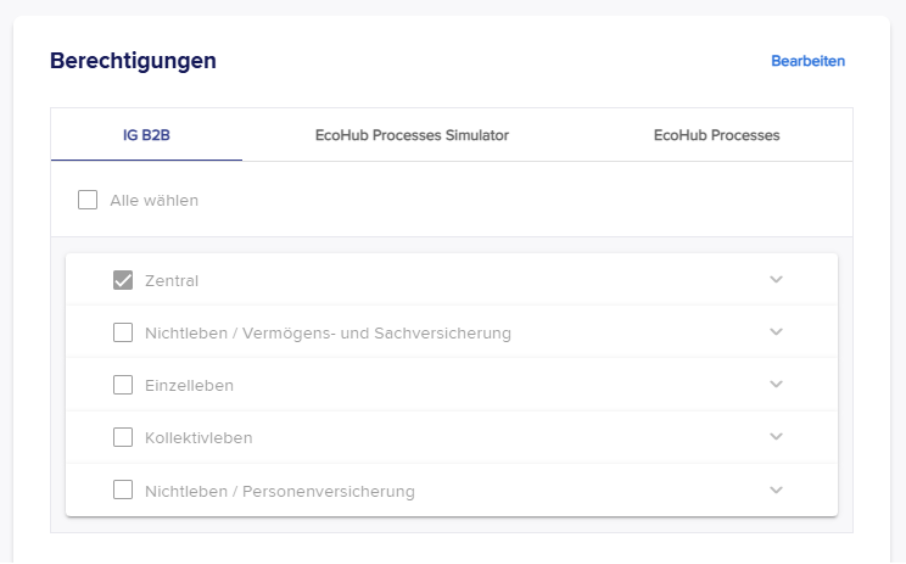
3.) Set up authorizations via support
Contact support to have the desired process authorizations configured for existing users.
Further information can be found in the FAQ [“Who can I contact if I have questions or technical problems?”].
Once the authorizations are granted, you can manage them yourself in the Admin Panel or add new users.
Details can be found in the FAQ [“How can I add new users to the Processes application?”].
You can now convert XML files from insurance portals, according to market standards, into readable PDFs.
If you also want to receive and download files from insurers in Processes, the following steps are required:
4.) Connect the technical user (TechUser)
Follow these steps to connect the TechUser in EcoHub Processes:
1.) Open the EcoHub Processes application.
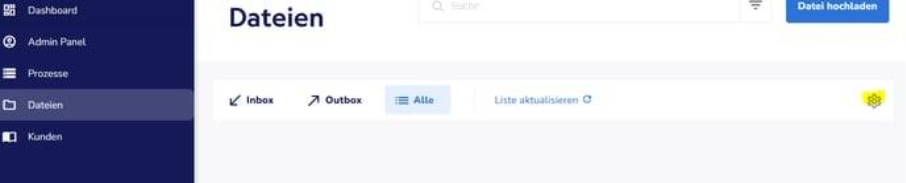
2.) Click on “Files” on the left.
3.) Click the gear icon at the top right and select “Connect”.
4.) Switch to the main EcoHub portal (not EcoHub Processes).
5.) Go to the “Technical User” section and click the row in the middle of the page. Note down the two credentials:
IDP number
IAK number
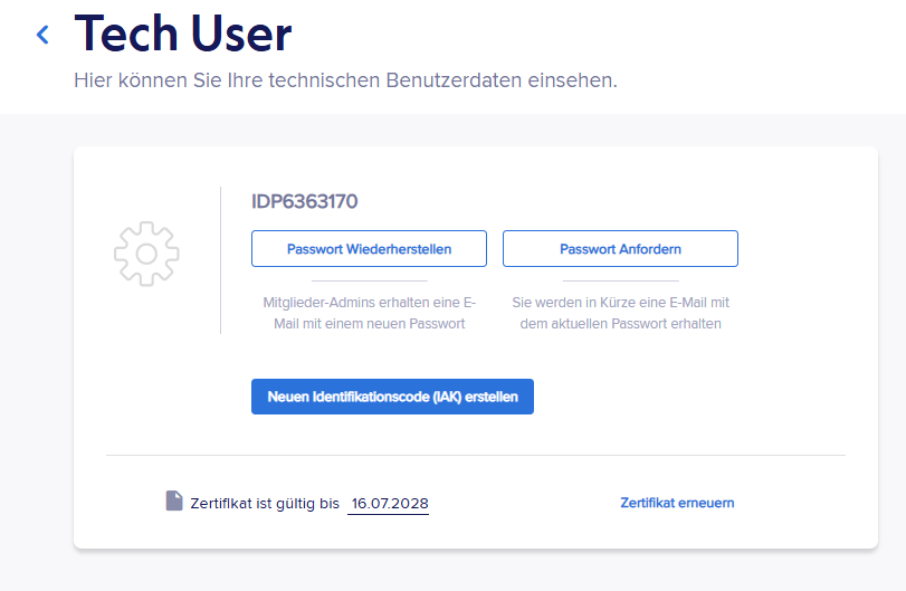
6.) Click on “Request password”. After a few seconds, you will receive the password by email.
7.) Copy the password (without spaces).
8.) Return to EcoHub Processes, enter IDP, IAK and the password, then click “Connect”.
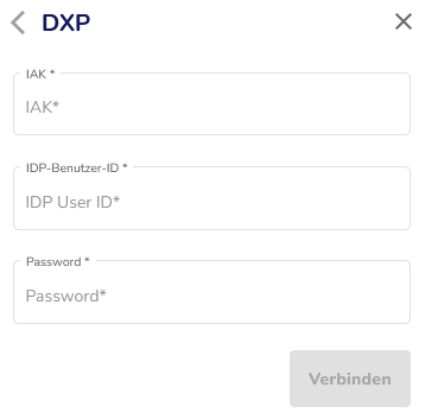
A confirmation will appear at the bottom right: “Successfully connected”.